
Assistance that stays on your network.
AI help for the terminal and vault that defaults to a self-hosted model on your own LAN. Terminal output and secrets stay on your network unless your organisation opts a cloud model in — the default and that opt-in are what keep them there.
the problem
AI in the terminal is genuinely useful — and a genuine data-exfiltration risk. Most tools quietly ship your command output and secrets to a cloud model.
What it does
- Local by default
- Assistance runs against a self-hosted model on your own network, so prompts and output don't leave the LAN by default.
- Secrets stripped on the way out
- If you opt into a cloud model, secrets and PII are stripped from the payload first and every send is audited. It is a filter, not a barrier — the command text and output around them still go, so the opt-in is the decision that matters.
- Exposure detection
- VaultTerm scans brokered command output for leaked credentials and flags exposure, so a careless paste doesn't go unnoticed.
- You hold the switch
- Whether the cloud is allowed at all is an org-level policy you control — not a default someone has to discover and turn off.
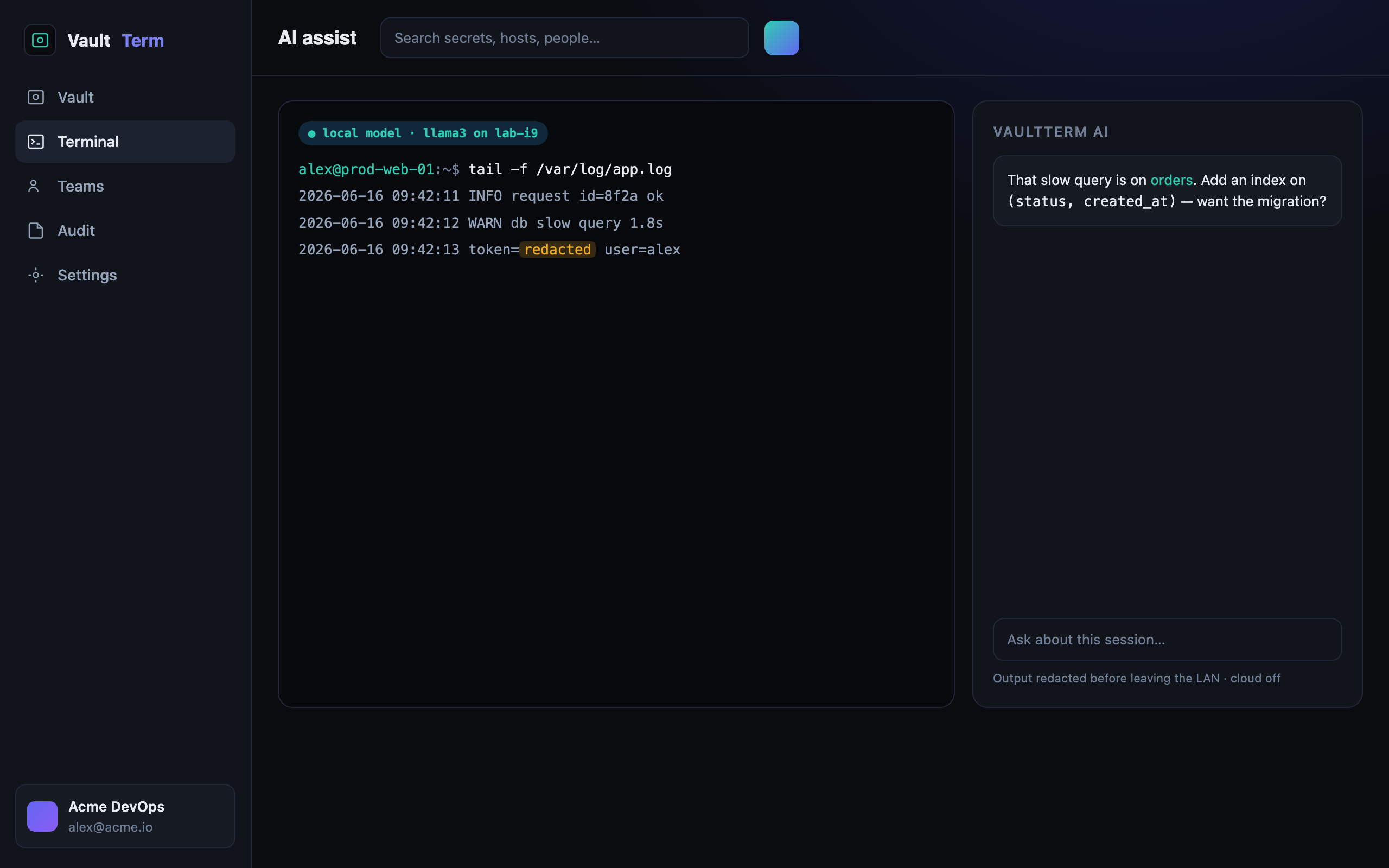
- Self-hosted Ollama by default
- Cloud LLM only as a per-organisation opt-in fallback
- Credential-exposure detection on command output
- No terminal output leaves the LAN for enterprise
how we back it up
No hand-waving on security
faq --list
Privacy-first AI — questions
Will my terminal output be sent to a third-party AI?
Not by default. The default is a self-hosted model on your own network, and a cloud model requires a per-organisation opt-in. If you leave that off, output does not go to a third-party model at all.
What does the redaction step do?
It strips secrets and PII — keys, tokens, JWTs, passwords, email addresses, IP addresses, card numbers — from anything bound for a cloud model, and a prompt-injection guard runs alongside it. It is not a transcript filter: about 90% of a measured operations transcript still reaches the model, including command text, hostnames and query text. Keeping operational content local is what the self-hosted default and the opt-in are for.
Can the AI catch leaked credentials?
Yes. It scans brokered command output for credential exposure and flags it in the audit trail.